What Stark CBT Does for Your School
You don’t need to worry about servers, code, or complex computer configurations. Here is exactly how Stark CBT helps your students pass exams, saves your teachers time, and keeps your school in control.
Prepare Students for Real CBT Exams Before Exam Day
Every year, smart secondary school students score below their true potential in external examinations like JAMB UTME, WAEC SSCE, NECO, and state BECE simply because they aren't used to taking examinations on a computer.
When students get regular practice in your school lab, computer-based testing becomes second nature. They don’t panic when they see the countdown clock ticking down—they focus calmly on answering the questions.
- Comfort with computer testing: Answering questions, selecting options, and jumping between questions with ease.
- Mastering the countdown timer: Learning how to pace themselves so they never run out of time on exam day.
- Accidental submission prevention: Understanding review flags and confirmation prompts so they never submit prematurely.

Run School Exams Without Depending on the Internet
Every school administrator in Nigeria knows the anxiety of relying on telecom networks for important events. The message here isn't technical jargon about networks; it's simple:
Whether you are conducting continuous assessments, mid-term tests, or full promotional mock examinations, Stark CBT keeps your examination calm and on schedule without buying data bundles.
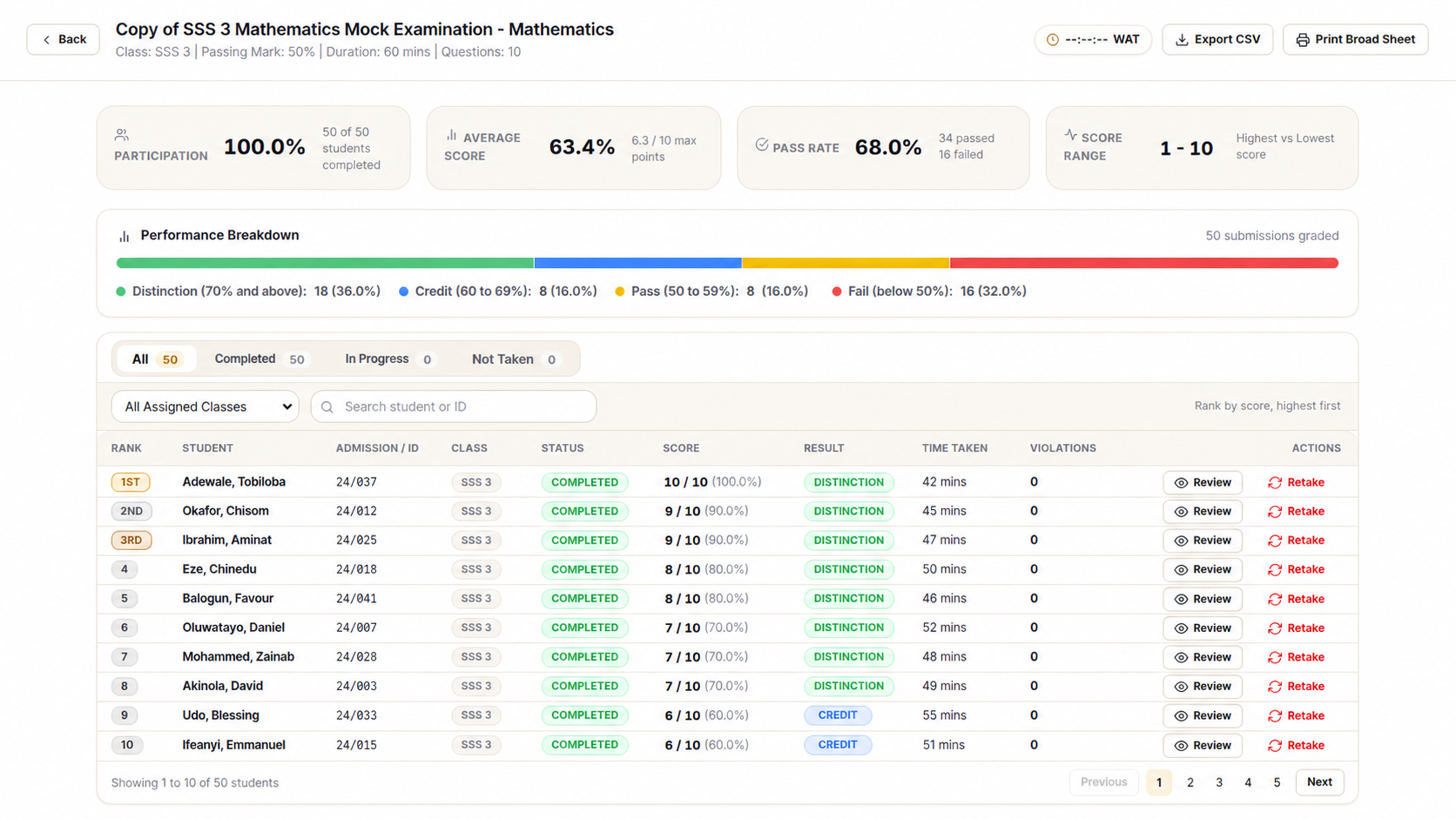
Know How Your Students Are Performing Right Away
Rather than waiting weeks for teachers to collate scores on paper, school principals and proprietors get immediate visibility into how each class performed.
You can quickly see which subjects students are mastering and where extra revision is needed before external examinations begin.
- Class score rankings and subject performance summaries
- One-click export to Excel broadsheet for administrative records
- Printable individual student result slips for parents
Conduct More Tests More Easily All Year Round
With paper examinations, setting up tests is an expensive, logistical nightmare involving reams of paper, printing toner, stencils, and physical distribution.
Because Stark CBT is installed right in your school, you can use it whenever you want throughout the entire academic session:
Monitor Examinations Better With More Control & Less Guesswork
During large examinations, keeping track of dozens of students across a computer lab can be challenging.
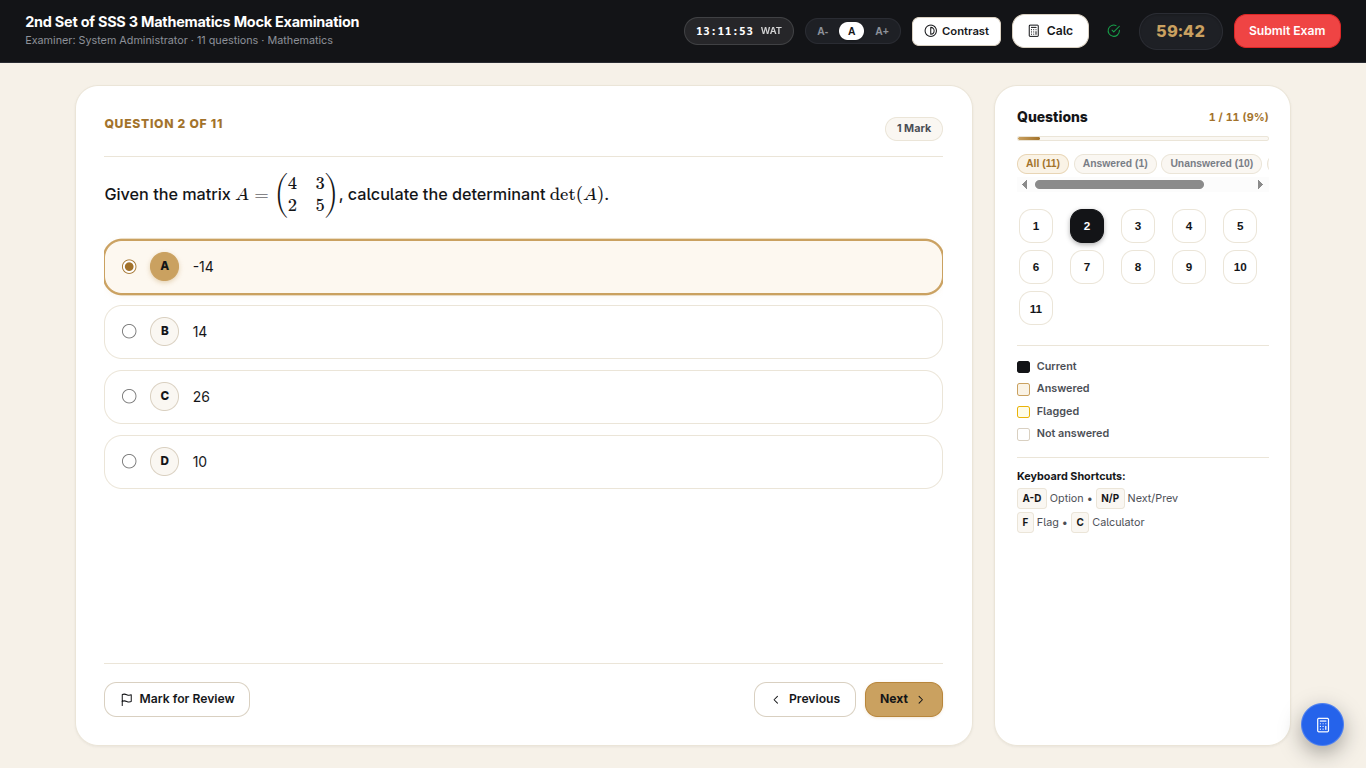
Stark CBT gives exam officers and invigilators a live control screen. You can supervise candidate activity centrally and receive automatic alerts if a student attempts to leave fullscreen mode or switch to another window.
- Real-time candidate attendance and progress tracking
- Automatic alerts for fullscreen exits and tab switching
- Question and option shuffling so neighboring candidates have different orders
Protect Every Student From Losing Their Work
Nothing is more devastating for a student—or more stressful for a school principal—than a computer freezing 45 minutes into an exam and wiping out all answered questions.
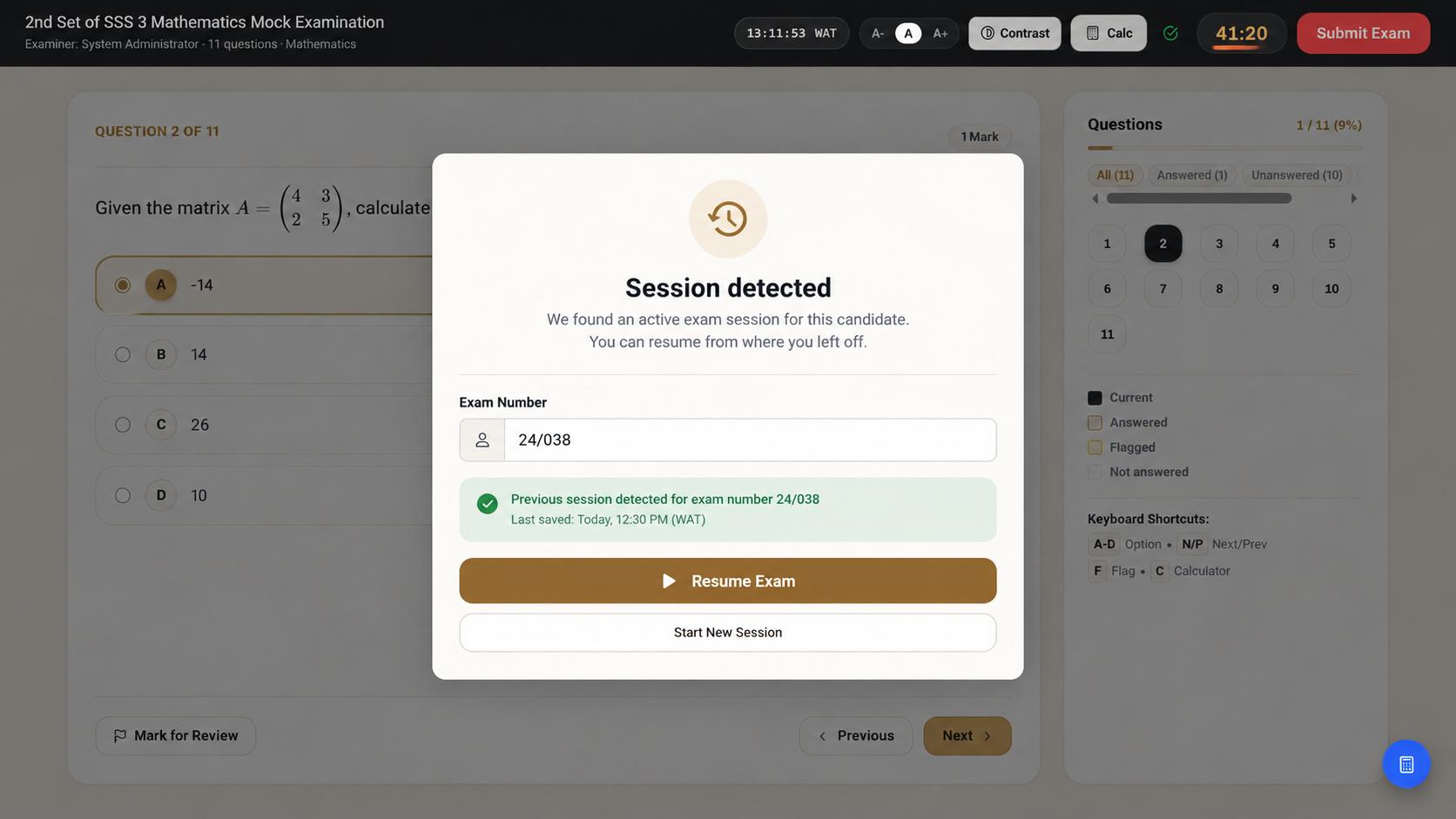
Stark CBT saves student choices continuously. If an Ethernet cable is accidentally kicked loose, a PC restarts, or the generator takes 20 seconds to kick in:
The student simply logs back in from their computer (or moves to a spare computer), and their exam resumes at the exact question, option, and timer countdown where they stopped.
Give Your School a Modern, Respected Examination System
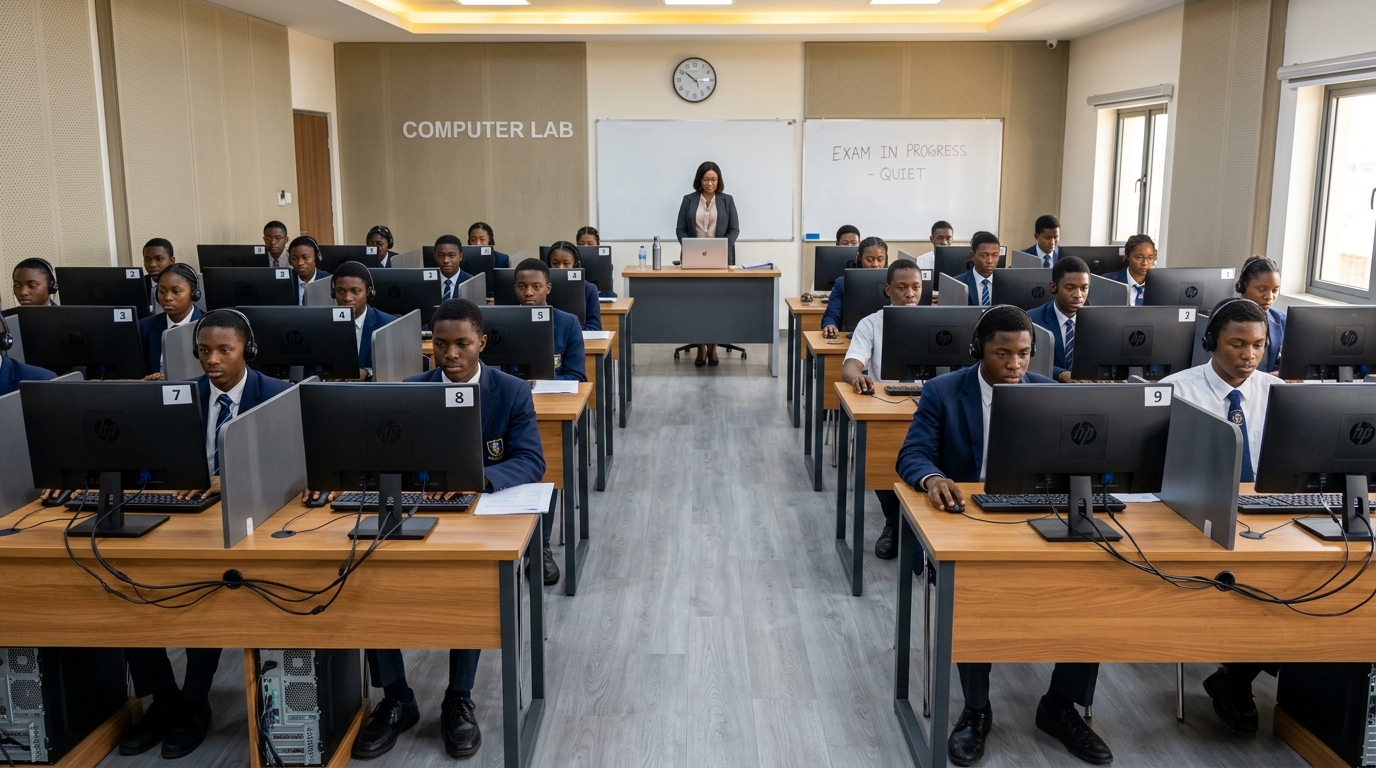
Parents notice when a school takes academic excellence seriously. A school that regularly conducts computer-based testing demonstrates modern standards, attracts higher enrollment, and positions its students for top performance across Nigeria.
Everything Your Teachers Need for Mathematics, Science & Arts
Stark CBT isn’t limited to simple text questions. It handles complex secondary school science equations and diagrams with razor-sharp clarity.
No blurry screenshots of Word documents. Quadratic formulas, calculus integrals, chemical symbols, and fractions render crisply on all screens.
Candidates can access an on-screen scientific calculator right on their exam screen—eliminating the need to inspect physical calculators for cheat notes.
Teachers can type questions easily via their browser or import hundreds of past questions at once using our simple Microsoft Word and Excel templates.
Give Your School the Examination Reliability It Deserves
Download the evaluation version today or request an on-site demonstration on your school's computer lab.